From setup to the front door.
Create your organisation, sell tickets under your own brand and manage event day from the same platform.
- No setup fee
- No monthly subscription
- Direct Stripe payouts
- No buyer accounts
Six simple steps from signup to event day.
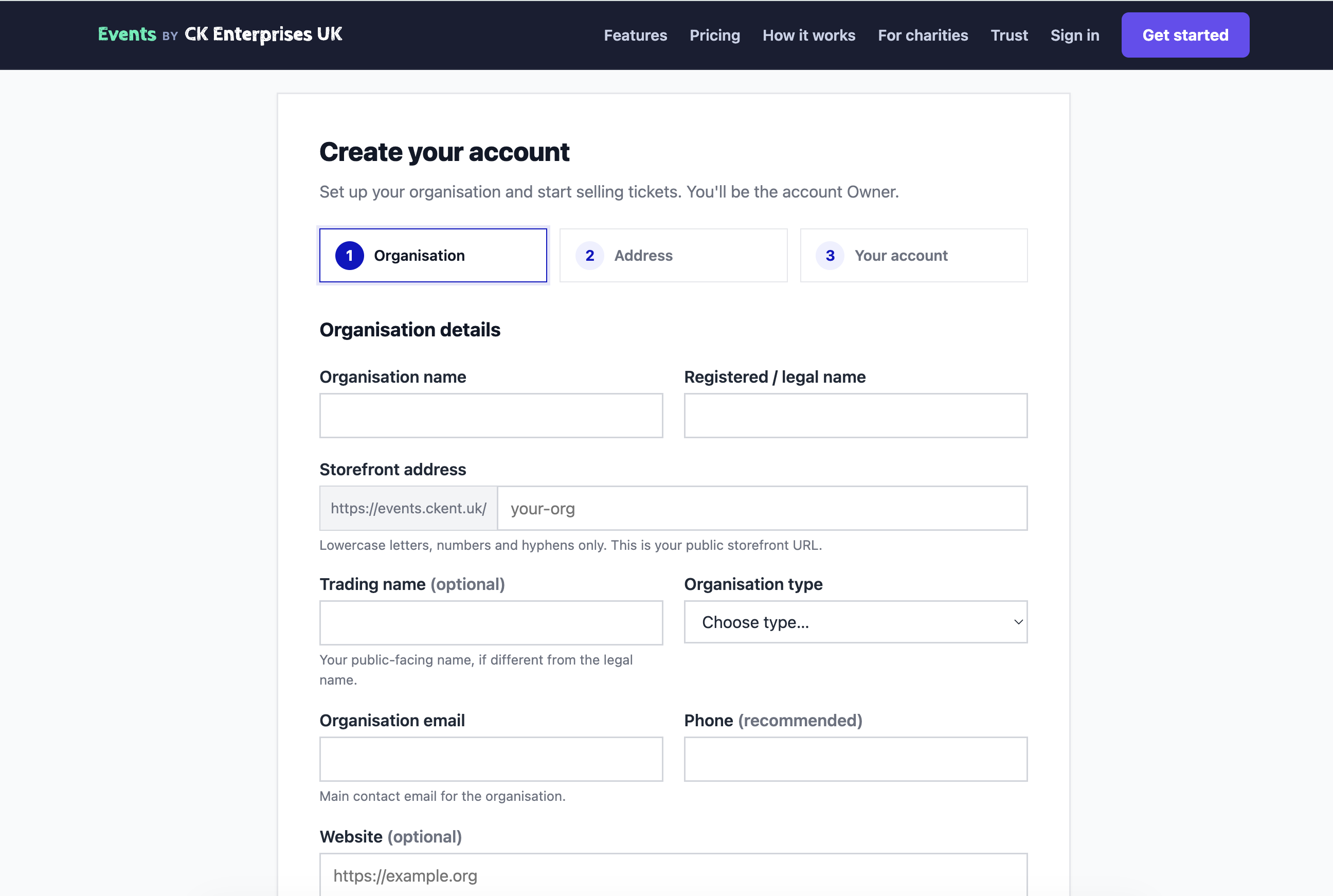
Create your organisation.
Add your organisation details, choose your storefront address and create your account.
Make it yours.
Your organisation gets its own branded storefront for customers to discover your events.

Publish and start selling.
Customers see your event, the important details and the tickets available to buy.

Customers book without an account.
Choose tickets, enter the details needed for the order and continue to secure payment.

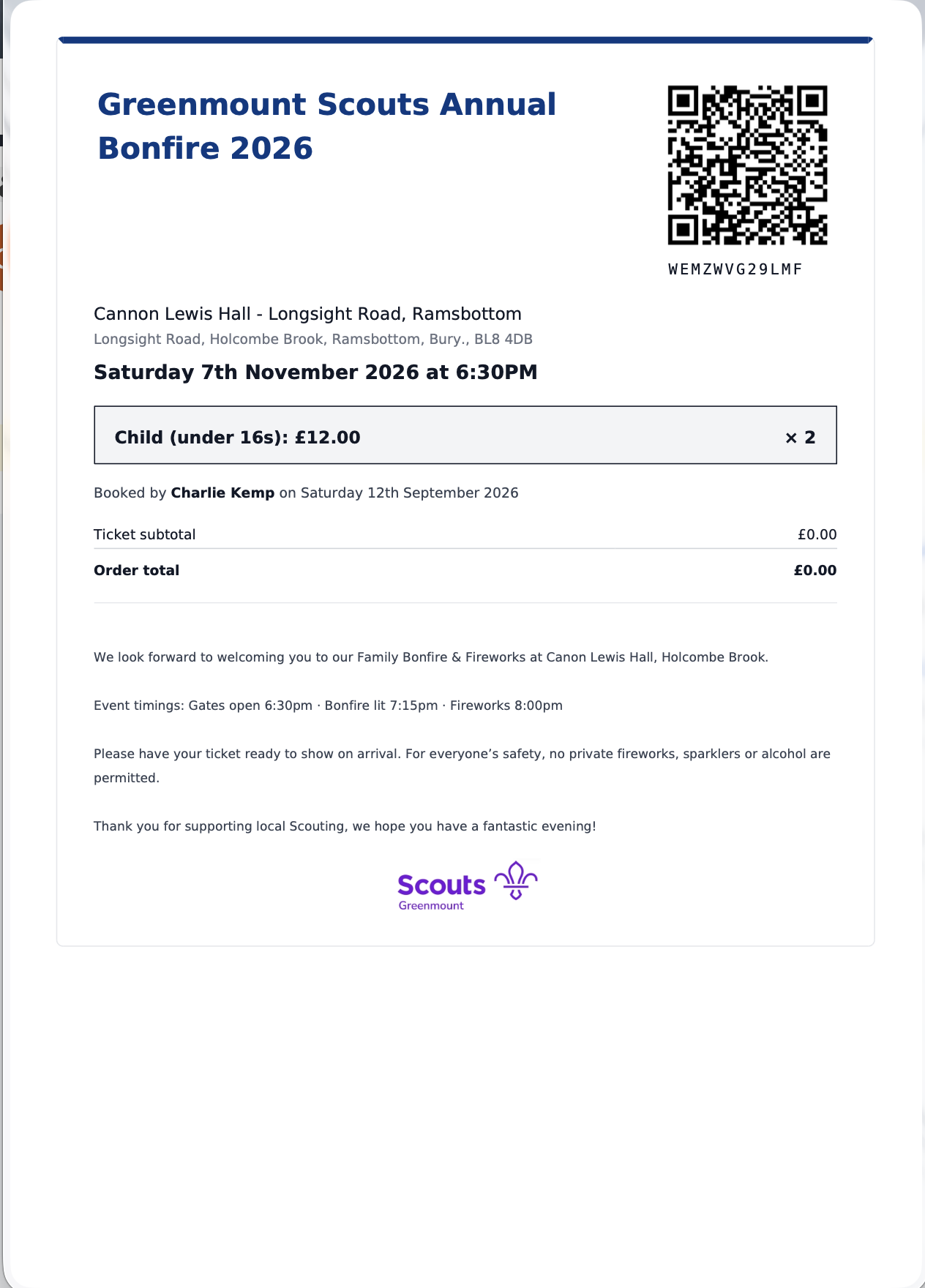
Tickets arrive ready to scan.
Customers receive a clear ticket containing their event details and a unique QR code.
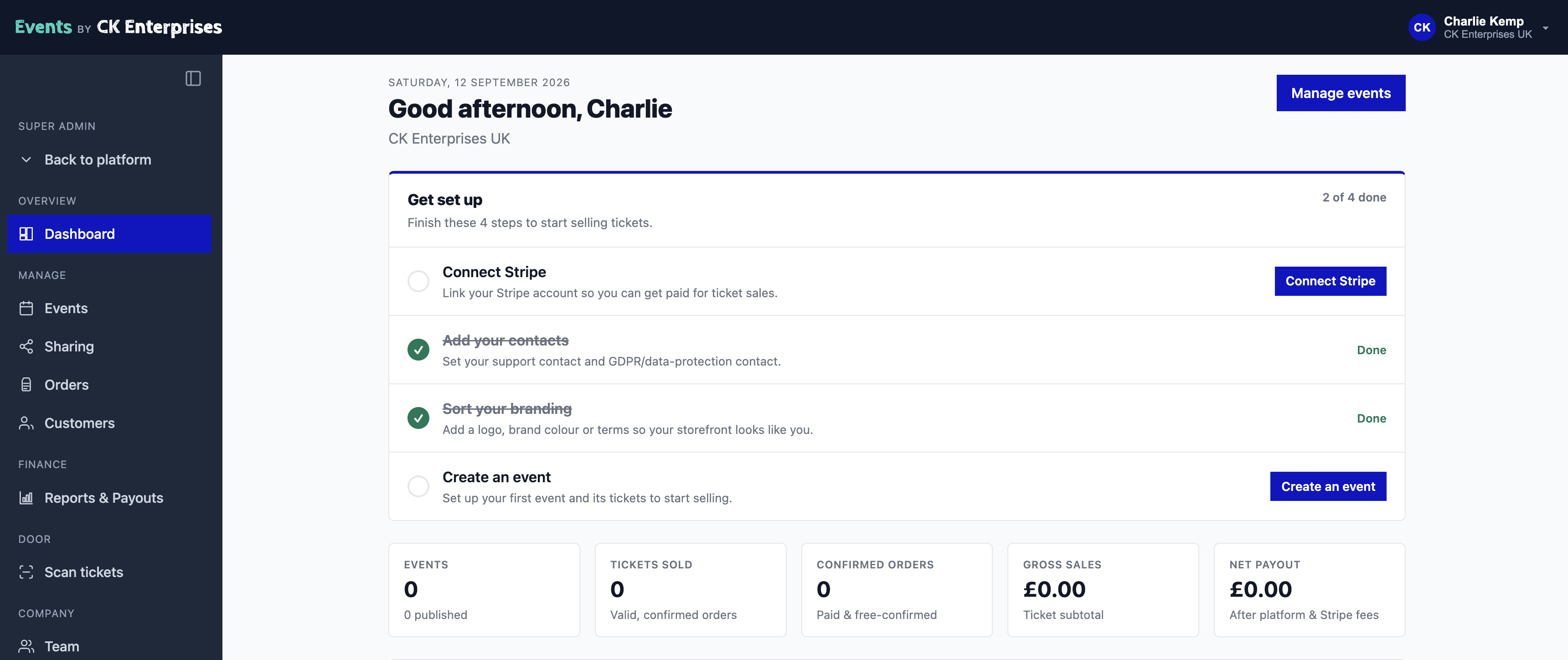
Manage everything in one place.
Keep your events, orders, customers, reports and event-day tools together in the organiser dashboard.
On event day, use the organiser tools on your phone to scan ticket QR codes and manage arrivals.
Ready to run your first event?
No setup fee. No monthly subscription.